AI-powered workflow · MHCI capstone
Goodwill Agent
Describe a garment while holding it, and its tag prints right at your station.
- Describe
- Check & confirm
- Print the tag
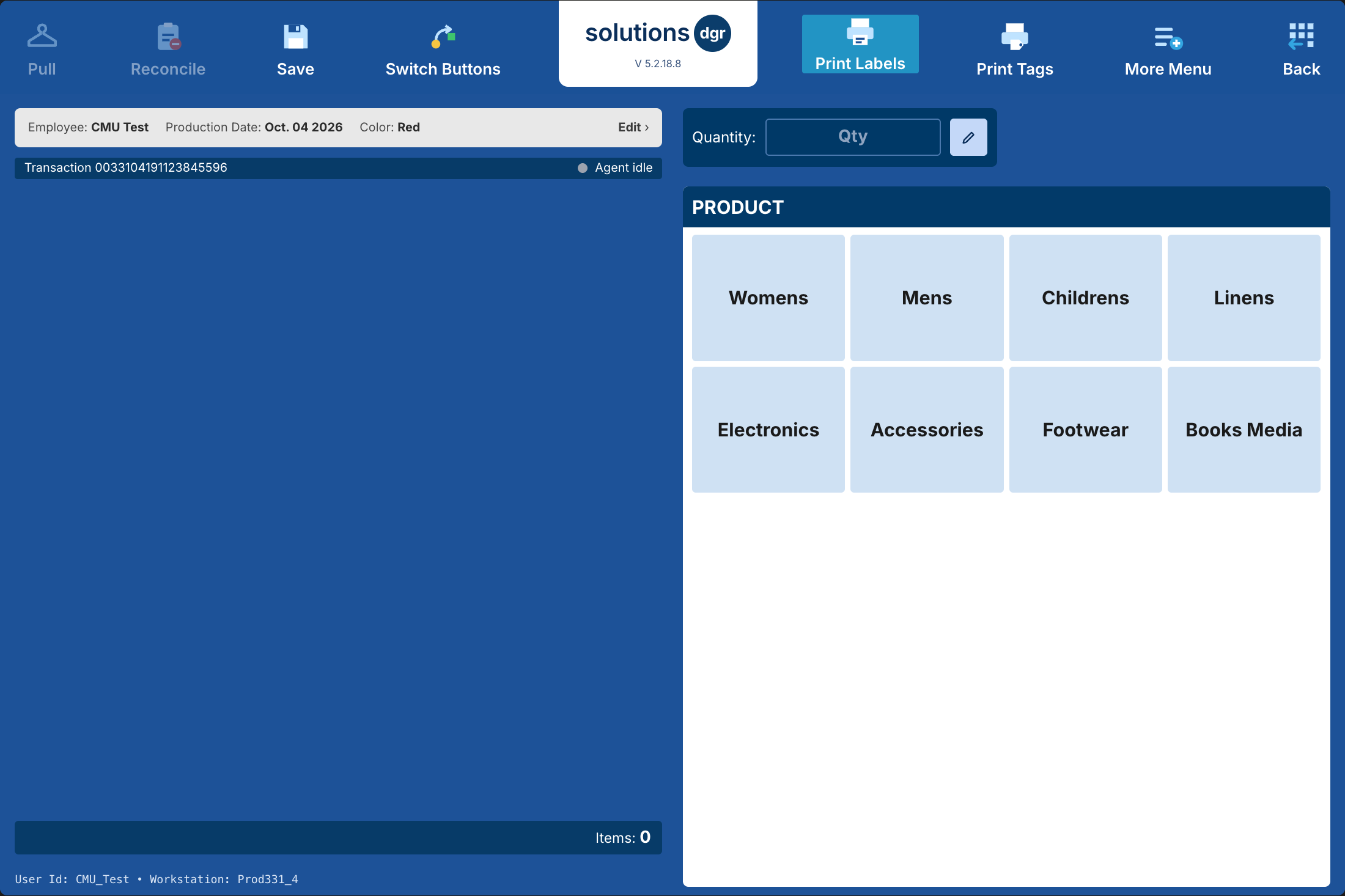

Static preview of the simulation; item details and prices are examples.
Try the interactive prototype- My role
- Product Design + Tech Lead
- Client
 Goodwill
- Team
 5 CMU MHCI graduate students
- Responsibilities
- Contextual inquiry · Wizard-of-Oz study · Data analysis · Voice workflow design · Windows automation engineering
Project outcomes
The challenge
01 / 06Slow processing leaves clothes stuck in the back room
Slow back-room processing keeps donated clothing off the sales floor. We set out to find the bottlenecks in softlines (clothing and household textiles) and make tagging faster and less demanding.
Spring research
02 / 06We did the job ourselves before proposing anything
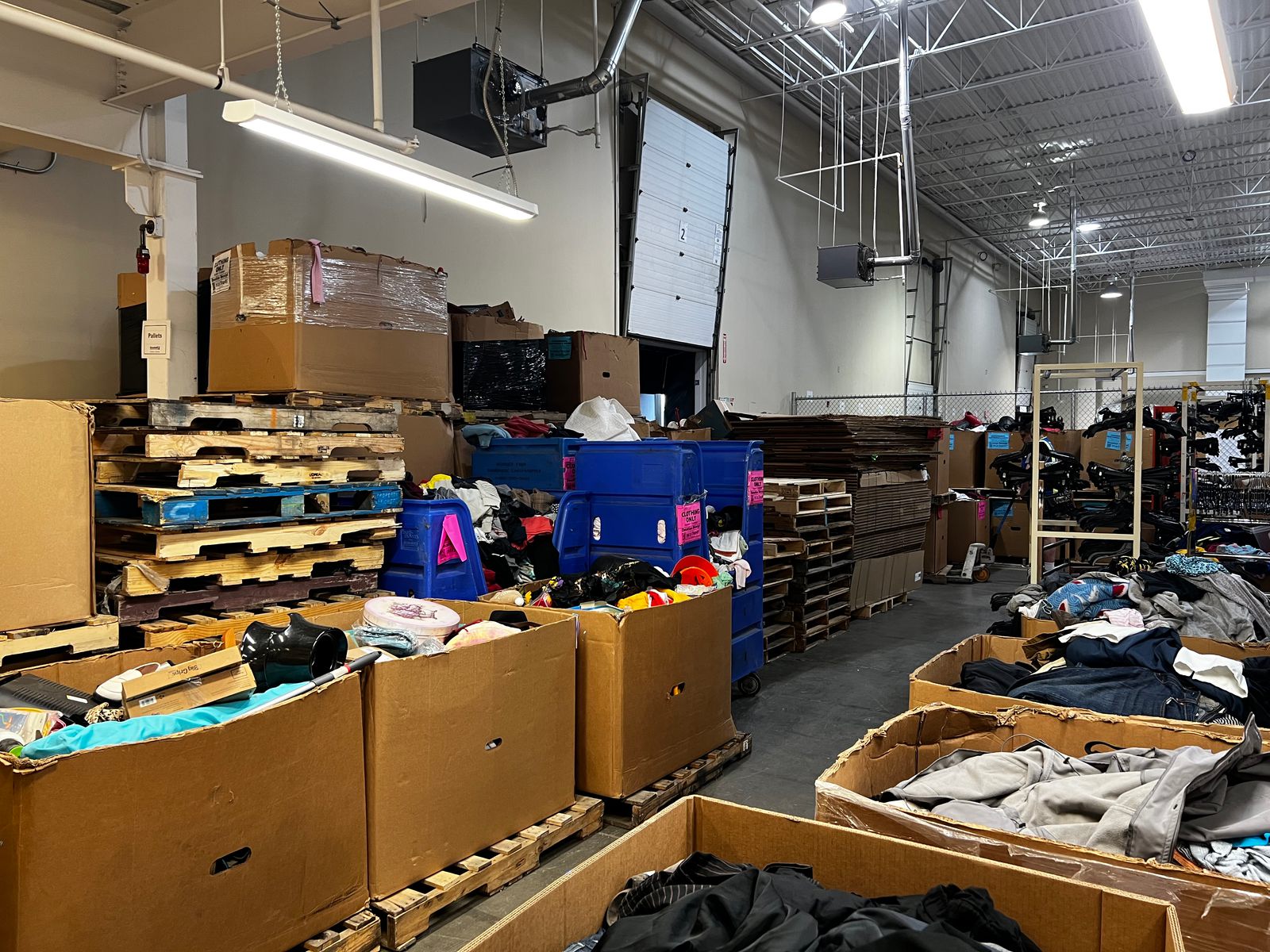
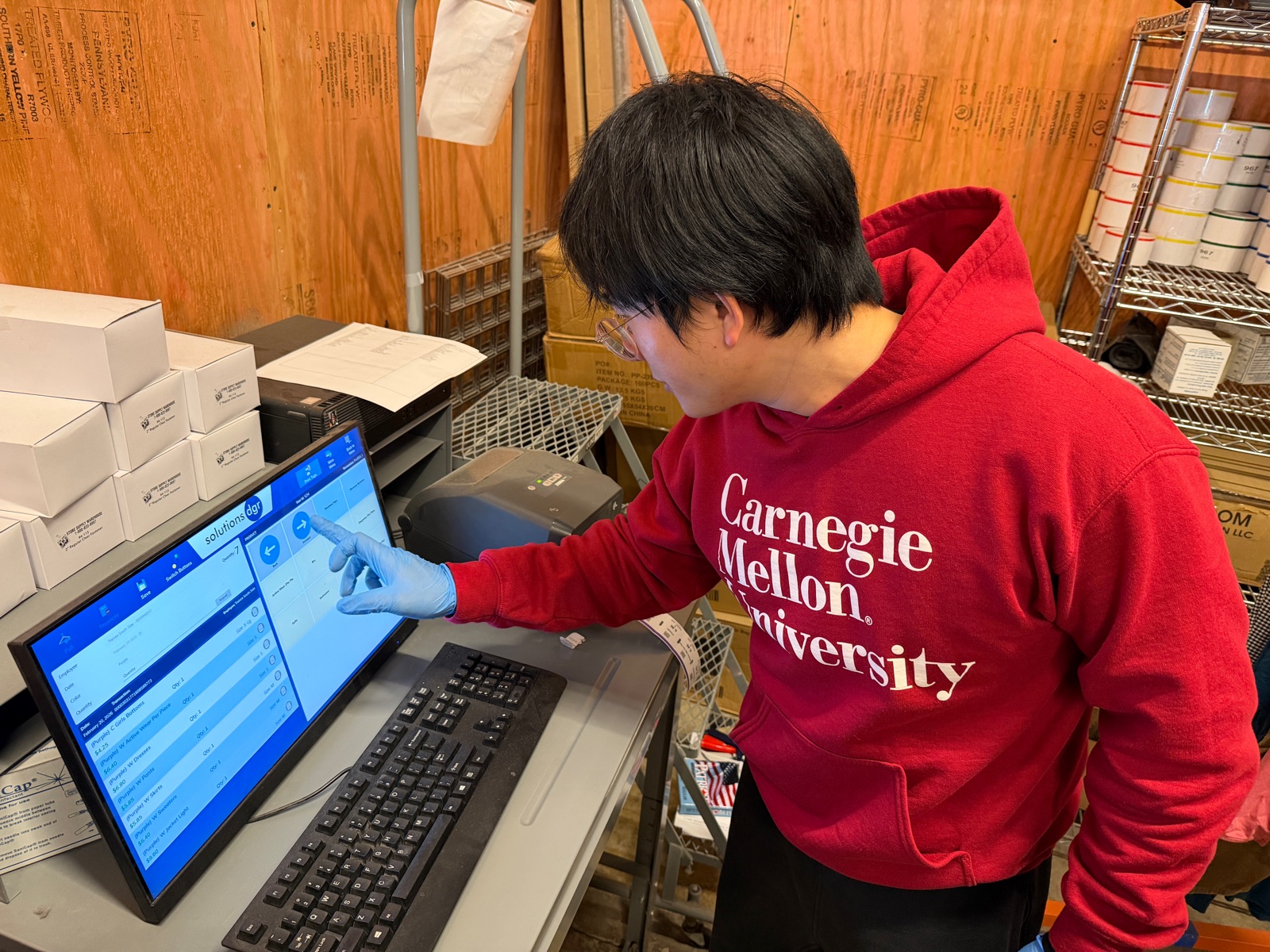
We watched processors work and explain their decisions, then processed donated garments ourselves. Doing the job made the repeated walking, remembered prices and time pressure tangible.
One rack, five places the current workflow loses time
Once a rack was full, processors pushed it to a shared POS, waited for a computer and entered every garment before printing tags.
- Cognitive load
Prices are decided at the rack but must be remembered until logging.
- Waiting for a shared desktop
Up to four processors share two desktops, creating a queue.
- Travel across the floor
Every full rack travels to the POS, taking time and aisle space.
- A hard-to-use POS
Logging each garment takes several levels of menu selections.
- Handling each item three times
Sorting, logging and tagging each require picking up the same garment.
Keep processors at the rack
- Problem statementReduce cognitive load and physical effort while helping processors tag clothing faster and more accurately.
- DirectionDesign a hands-free workflow that lets processors enter item information while staying at the rack.
Summer research
03 / 06Three choices shaped the final design
Summer testing centered on three choices: how processors would enter information, where the interface would sit, and whether to work one item at a time or in batches.
Why voice? Keep hands on the garment
In storyboard comparisons, processors rated voice lowest in mental effort and less physically demanding than tapping; smart glasses ranked last. In timed voice-vs-touch tasks, most were faster with voice and preferred it.
We tested mic and transcription-tool combinations in an echoing basketball court to check performance in noise.
More detail: speech model comparison
Team members read Goodwill’s pricing-category vocabulary to compare cloud and local speech models. We chose Deepgram for accuracy, paired with Vosk to keep working offline.
Why a voice strip?
We explored full-screen layouts, a separate app and an overlay. Solutions also handled inventory, checkout and production, so it could not be replaced and had no public API. A browser proof of concept established automated clicking; the interfaces then had to share one screen.
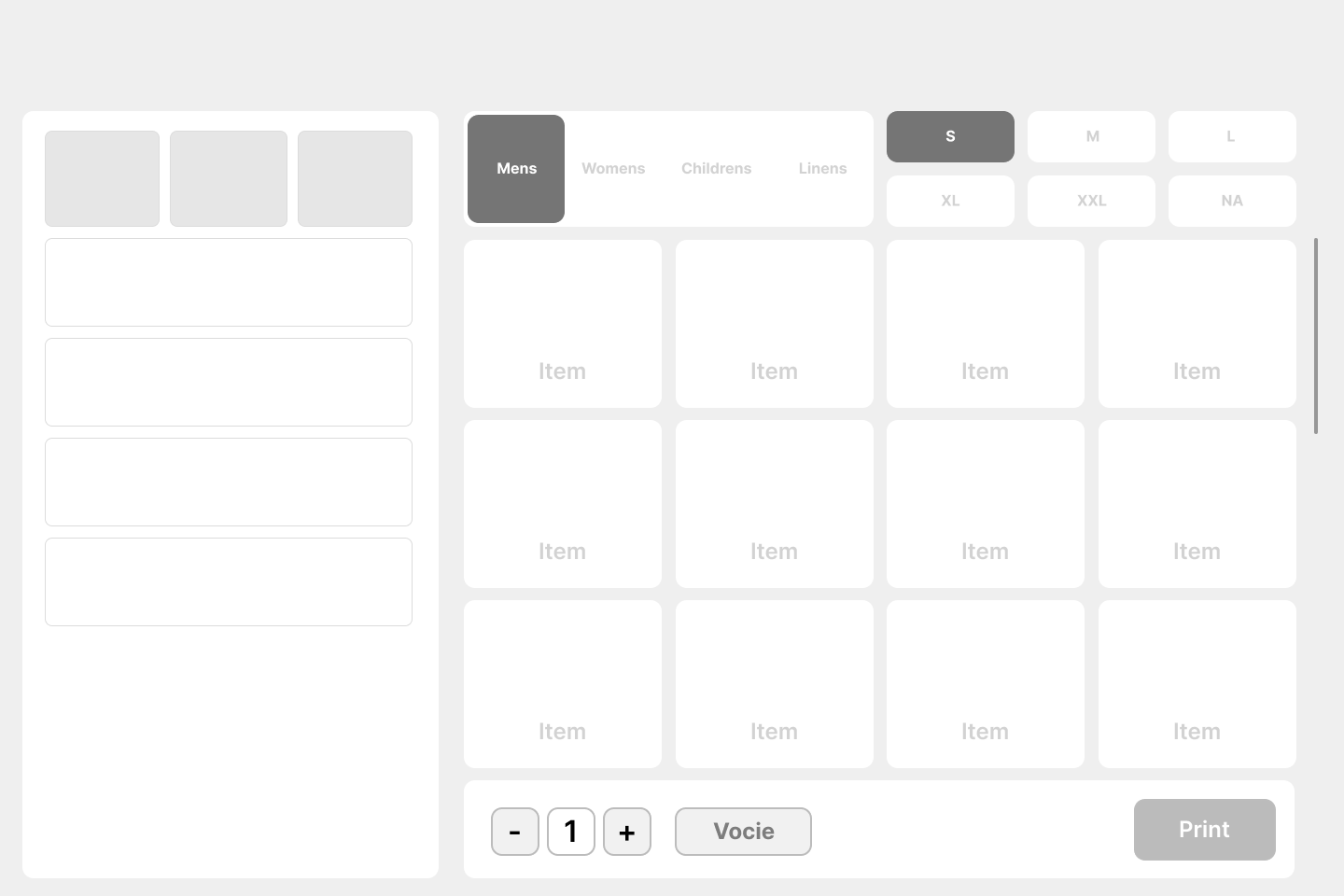
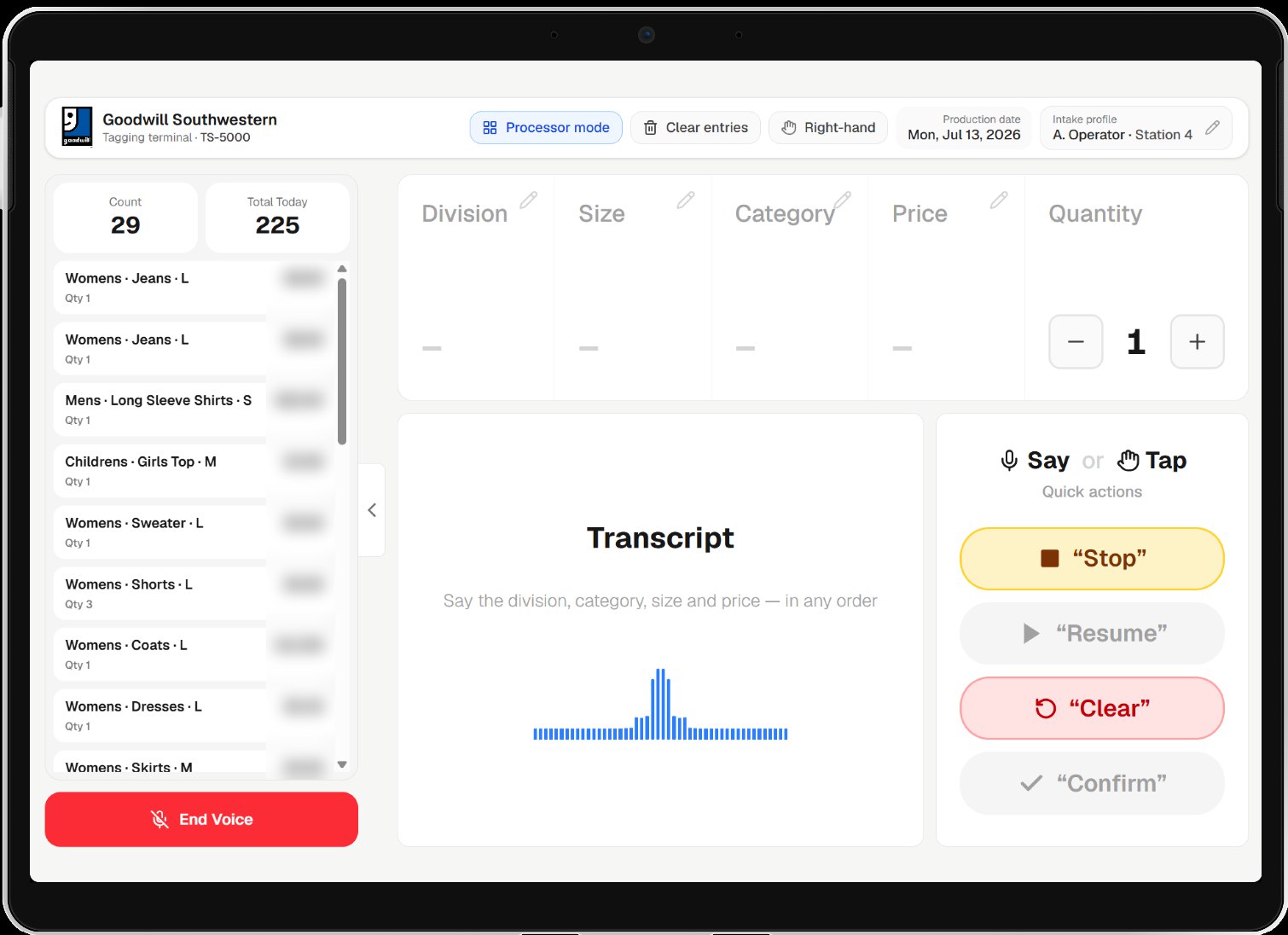
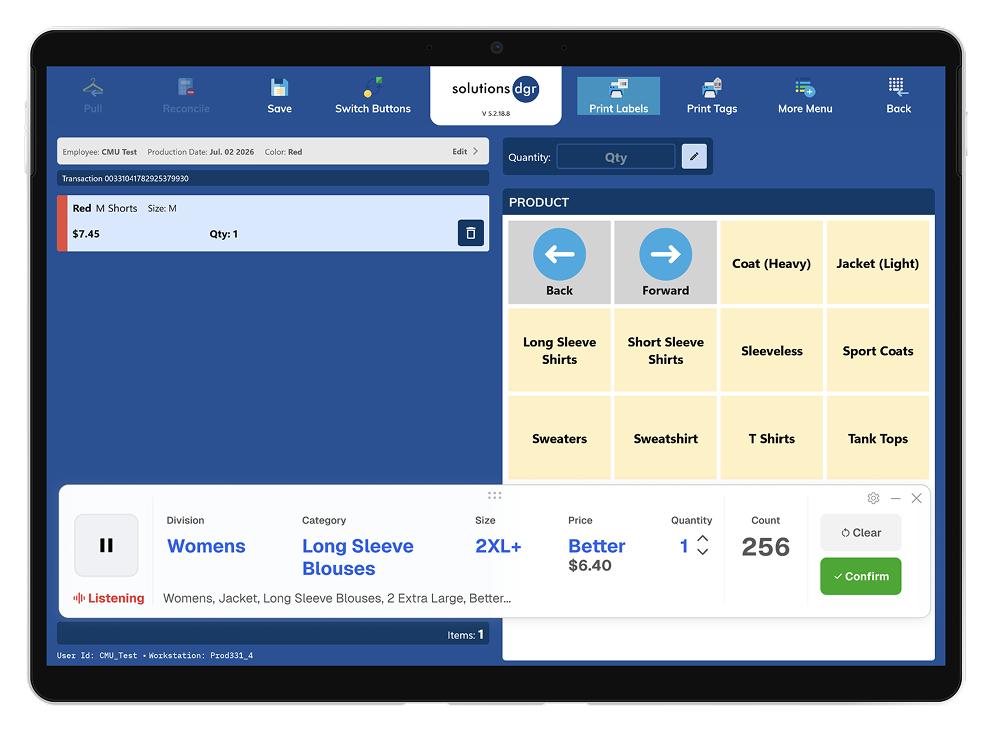
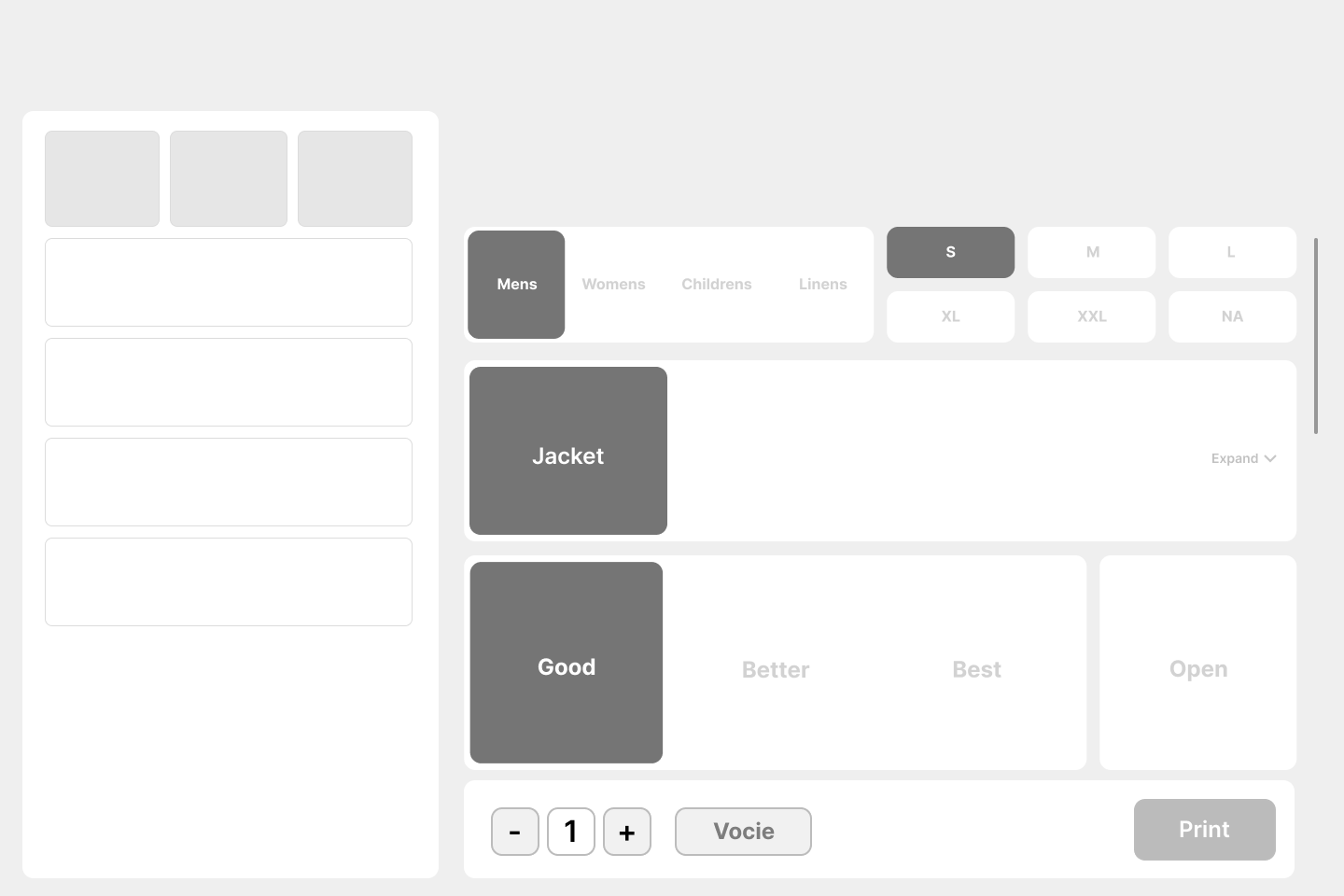
The wireframe is from the team’s Figma file; the other images show prototypes. Open any image to view it at full size.
More designs: layout, expanded and collapsed strips
The full-screen wireframes explored an open category grid and a layout focused on the current selection. Widget designs also explored expanded and collapsed forms; design notes discussed button placement, listening status and transcript size.


Why tag as you go? Finish each item once
Logging and tagging each garment on the spot reduced repeated handling.
Solution
04 / 06Goodwill Agent turns a spoken description into a printed tag
The voice strip floats over Solutions, turning a description into item details the processor can check before the agent logs them.
- A tablet at every station
A tablet and printer beside the rack remove trips and queues.
- Hands-free voice input
Processors describe garments while keeping their hands on them.
- The agent operates Solutions
The agent clicks through the existing software for the processor.
- Tag as you go
Log, print and attach the tag before starting the next garment.
Say, see, tap: three channels, one job each
Voice handles input. The screen shows the transcript and interpreted fields. Touch handles confirmation and corrections, keeping the final decision with the processor.
- Listening · Pause
The waveform shows mic activity; a button or spoken command pauses and resumes it.
- What it heard
The separate transcript helps distinguish mishearing from misinterpretation.
- What it understood
Department, category, size and price tier stay visible and editable.
- Confirm · Clear
All four fields are required. Logged confirms success; Clear starts over.
- Quantity · Daily count
Adjust quantity as needed; successful entries add to the daily count.
- Solutions behind it
The agent’s clicks stay visible so processors can follow its progress.
Interactive prototype
Tap the example below or type an English description, check the item details, then tap Confirm to watch the agent log it.
This interactive prototype needs JavaScript. Watch the in-store pilot footage in “Keep processors at the rack” to see the same flow in real use.
Keep the processor in control
I built the agent as a Windows app running on the station’s PC. It checks each step before proceeding and stops for a person whenever the screen differs from what it expects.
More detail: engineering and deployment validation
The agent uses the processor’s existing session without accessing their Solutions credentials. Commands are idempotent and run one at a time. Every step goes through a verify-act-verify state machine, which stops and hands over to a person whenever the screen doesn’t look as expected.
In our survey of 131 Goodwill employees, only 8% trusted AI recommendations. In an organization like that, these invisible constraints mattered as much as the confirmation on screen. Whenever the system isn’t sure, control goes back to a person.
After two on-site visits with Goodwill IT, the agent ran the full tagging workflow on the live Solutions system (DGR.exe) in Goodwill’s controlled test environment. It was delivered as a self-updating installer.
Pilot and impact
05 / 06In the pilot, items per hour more than doubled
One processor used the tool for one work week, so this is directional evidence; a larger sample is still needed.
“I love it. This is great, this is going to make us faster.”
More detail: rollout costs and revenue projections
These are projections, not realized results. Four scenarios combine production gains of 50%–112% with different sell-through rates, projecting $4.7M–$26.5M in added annual revenue. The conservative case assumes a 50% gain and 45% sell-through.
Annual running costs include tablets, headsets and printers spread over three years, speech-model usage, IT maintenance and a 10% contingency.
What’s next
06 / 06Four things to test next
- 01A larger pilot
Include more processors across different stores in daily use.
- 02More accents and languages
Test more accents and voice input and translation for Spanish and other languages.
- 03More categories
Make product categories and prices configurable.
- 04Feedback that keeps up with trust
Pilot processors quickly trusted the system and stopped checking the screen. Feedback must still help them catch mistakes.
Next case study