AI-native product · Personal project · Native iOS app · October 2026
Snapee
Take two photos and, a minute later, you have a price you can explain and a listing you can post. Snapee (一拍即出, “snap and it’s out”) is an idea that came after my master’s capstone: watching Goodwill’s processors price second-hand clothes, and remembering the things I couldn’t sell when I moved. I built it as a native iOS app with a real vision model, tested it on my own clothes, and gave it a design system of its own.
At a glance
Problem
01 / 04Selling what you own gets stuck on the price
Every time I move, I get stuck on the same thing: I don’t know what to charge for the things I’m selling. Price low and it sells fast, but I feel I gave it away. Price high and it sits there, and in the end I give it away anyway or throw it out. Two things are stuck: there is nothing to base a price on, and writing the listing is a chore.
The users are people with a pile of clothes they no longer wear and no appetite for researching the market: graduates moving out, people changing cities, anyone clearing a wardrobe for the season. They want it sold, at a fair price, without much effort.
The judgment also comes from my capstone at Carnegie Mellon. We worked with the second-hand retailer Goodwill, whose processors price garments from a price sheet. Ordinary people have no such sheet. In our survey of 131 Goodwill employees, only 8% trusted an AI recommendation. So this product cannot just throw out a number. It has to show its reasons and leave the decision to the person.
Design
02 / 04Capture → Read → Confirm → Post
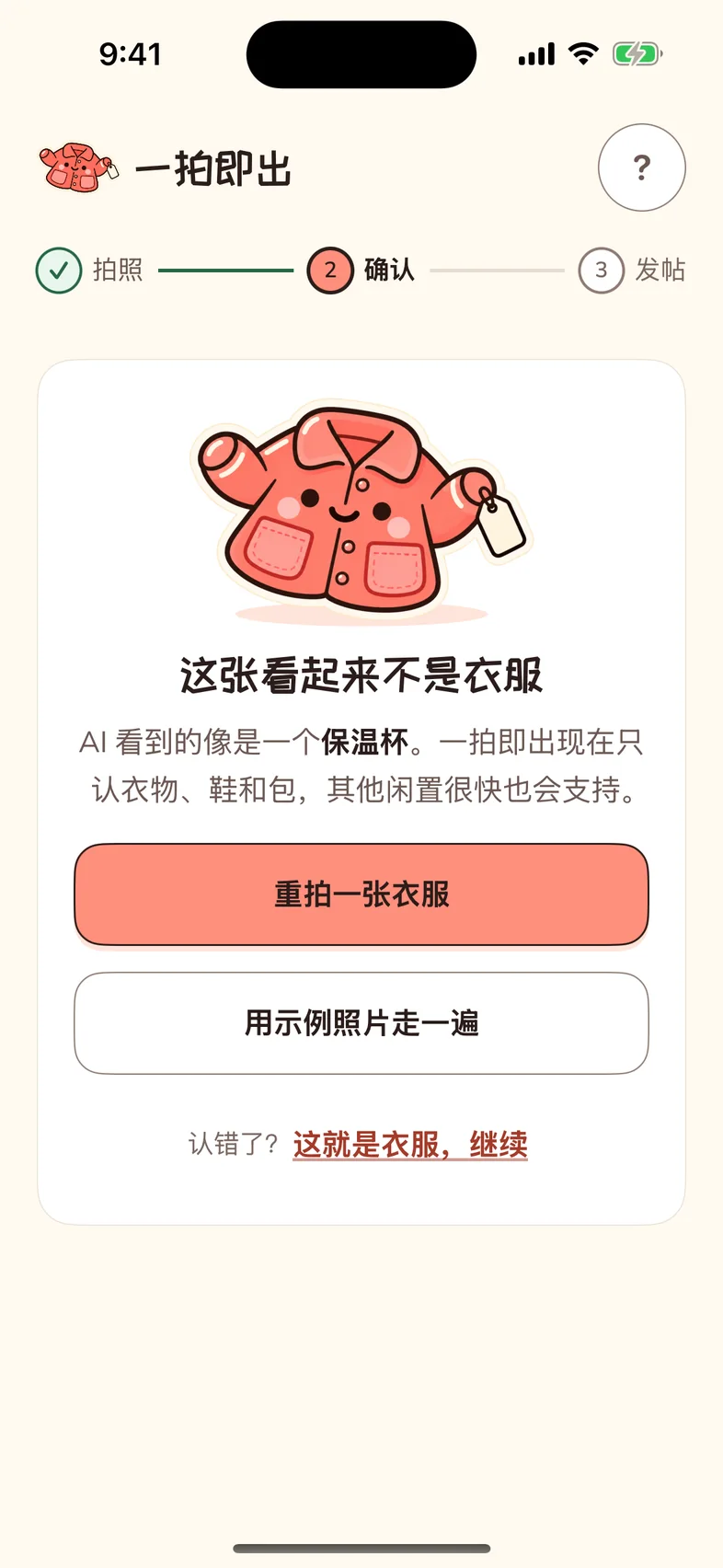
Clothes, shoes and bags first. Labels have words printed on them, and what the AI reads is more reliable than what it guesses from looks. With a narrower category, the follow-up questions, the condition scale and the pricing factors can all be specific. When the photo is of something else, Snapee doesn’t force a reading. It offers “retake” and “try a sample”.
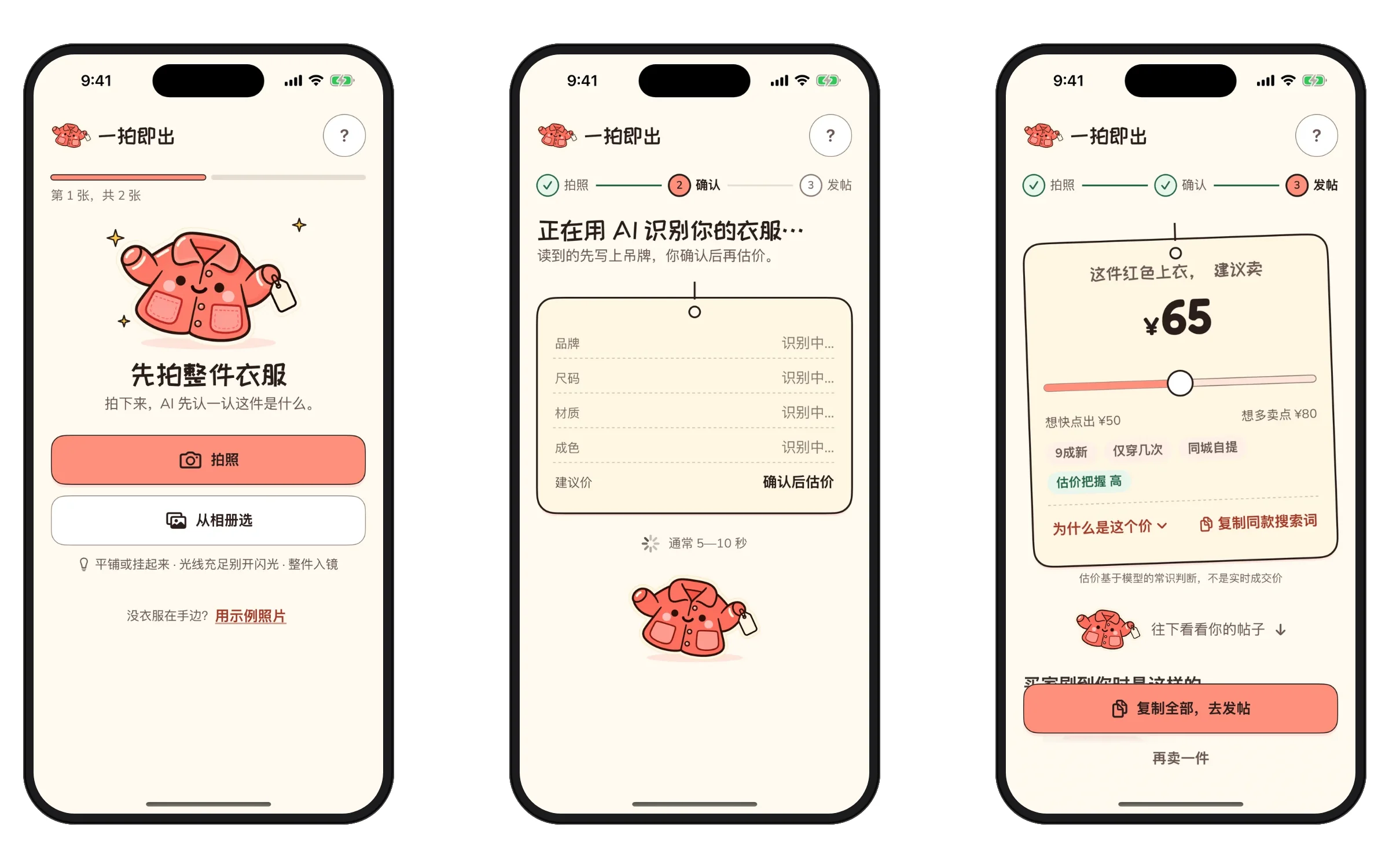
- 01Capture
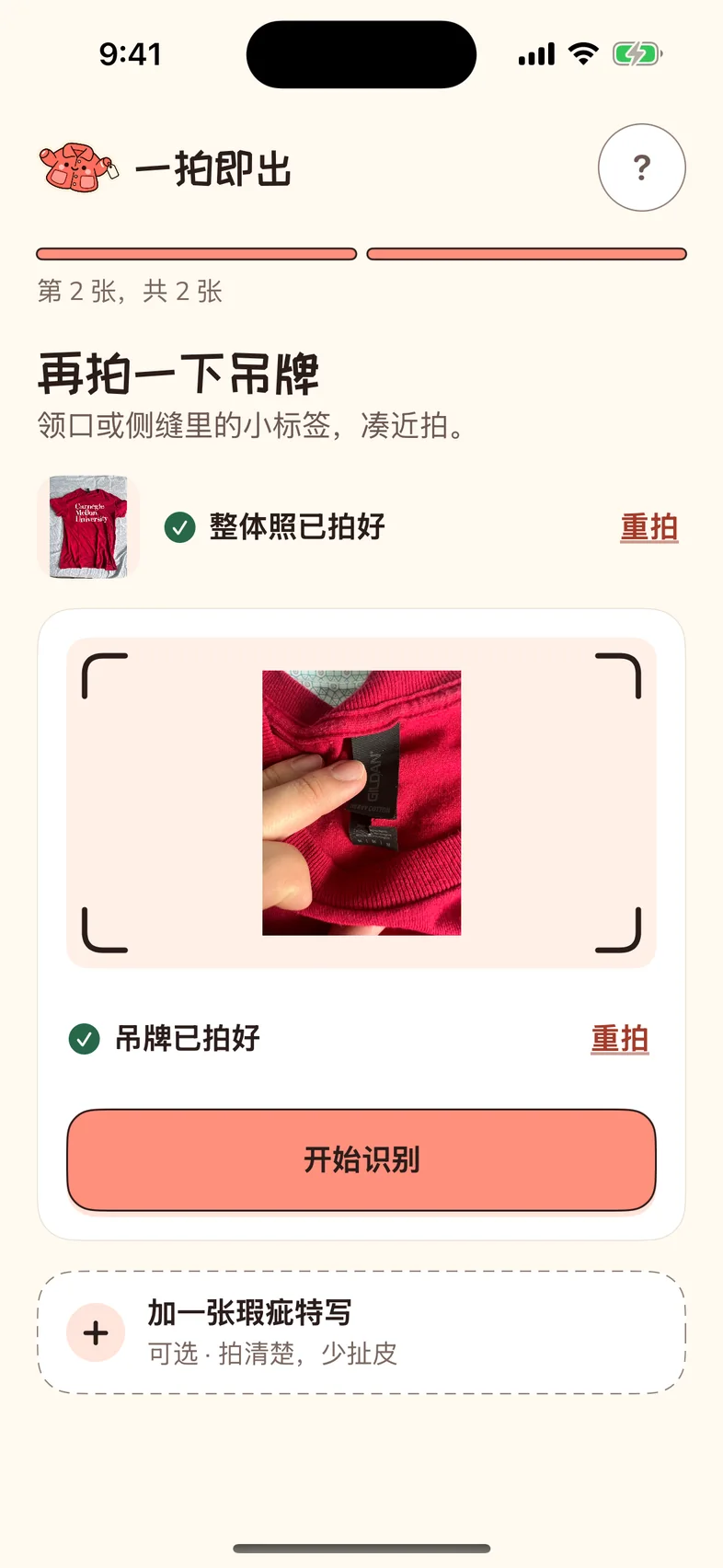
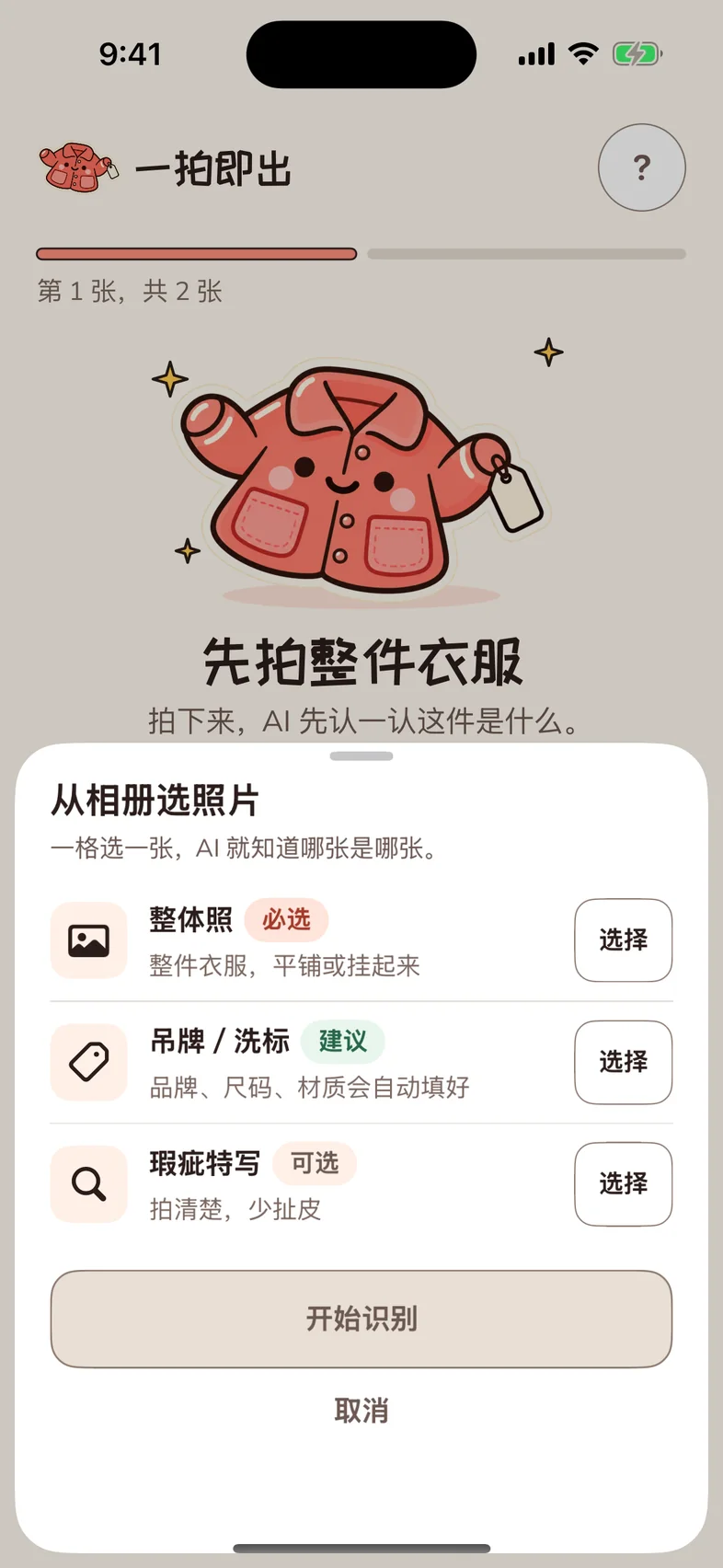
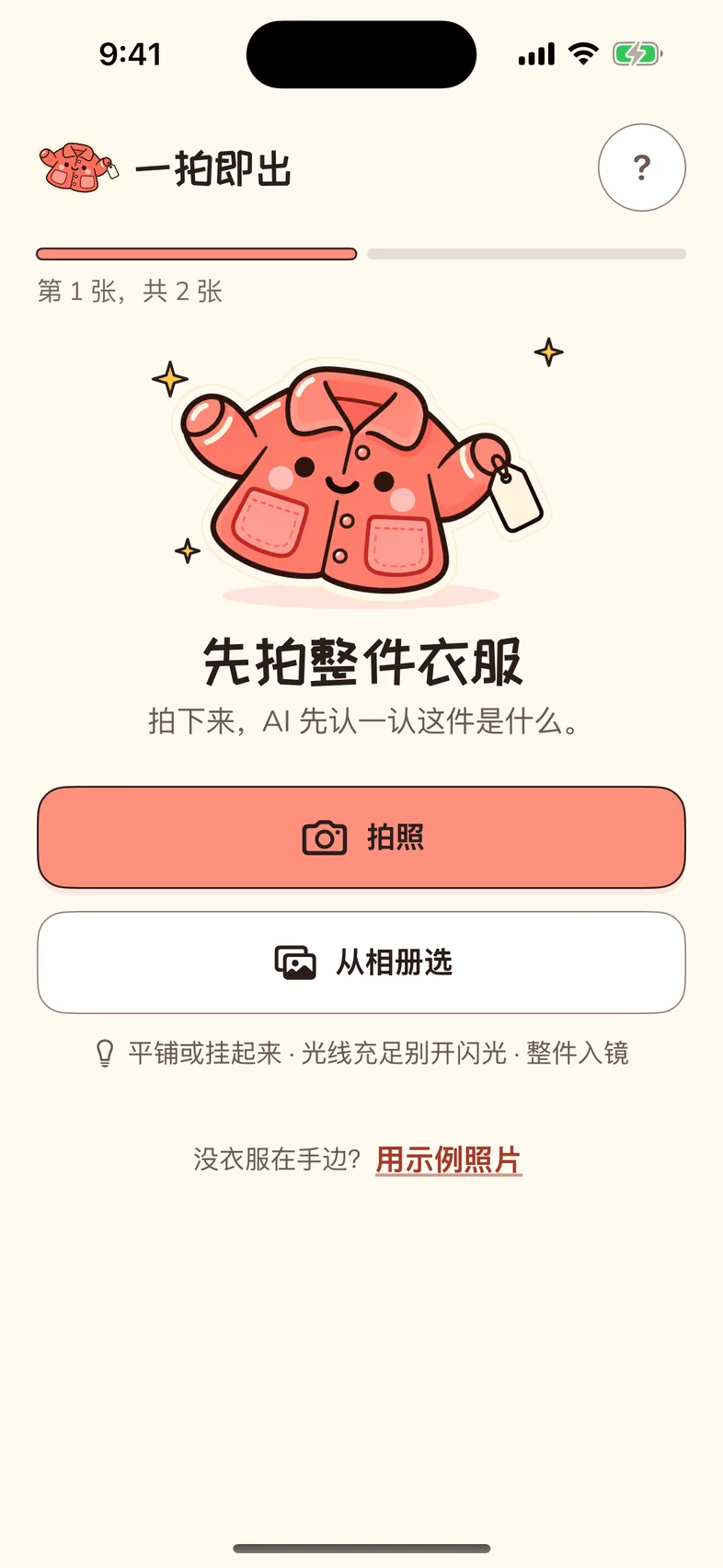
The whole garment first, then the label (skippable), a flaw close-up optional. From the album, one slot per photo, so the AI knows which is which.
- 02Read
A hang tag appears and the AI writes what it read. The price line says “after you confirm”.
- 03Confirm
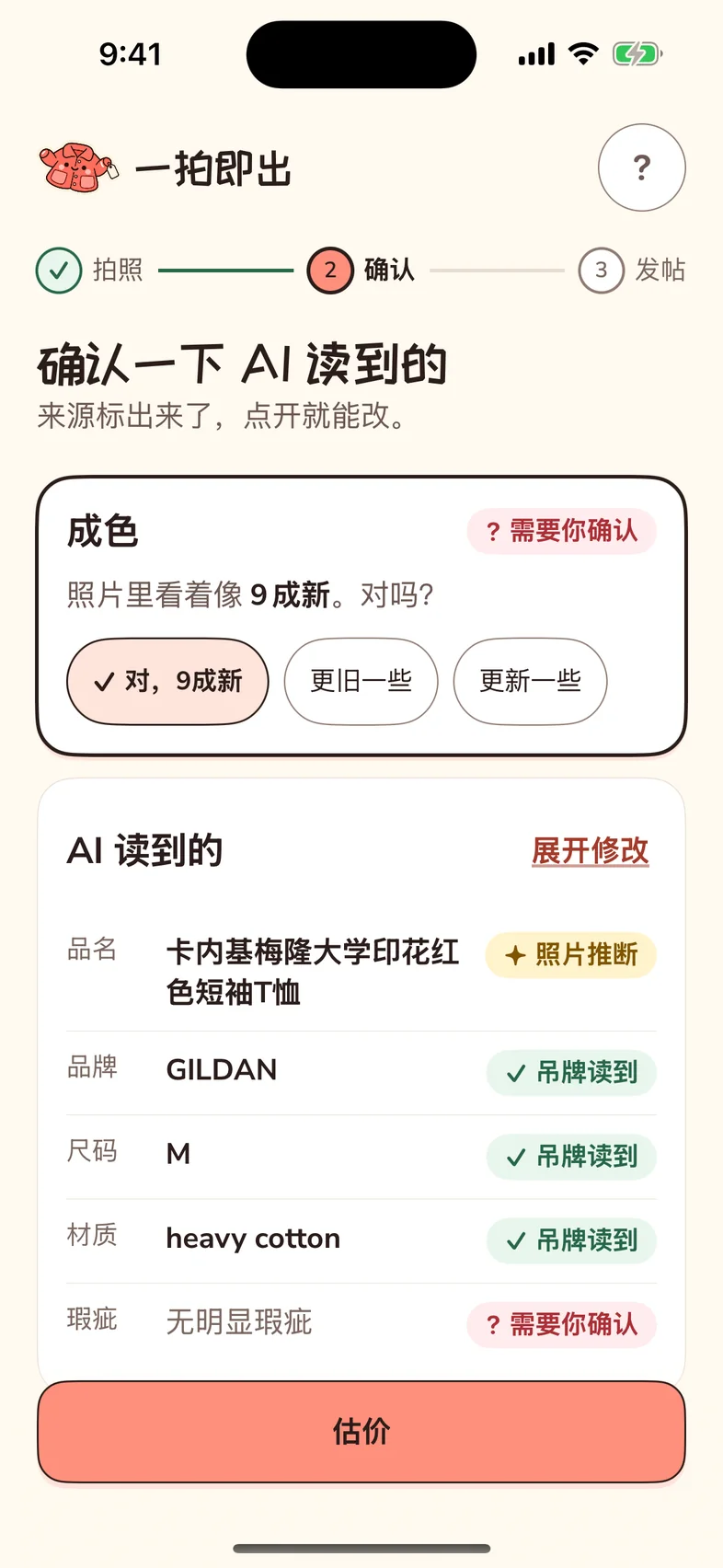
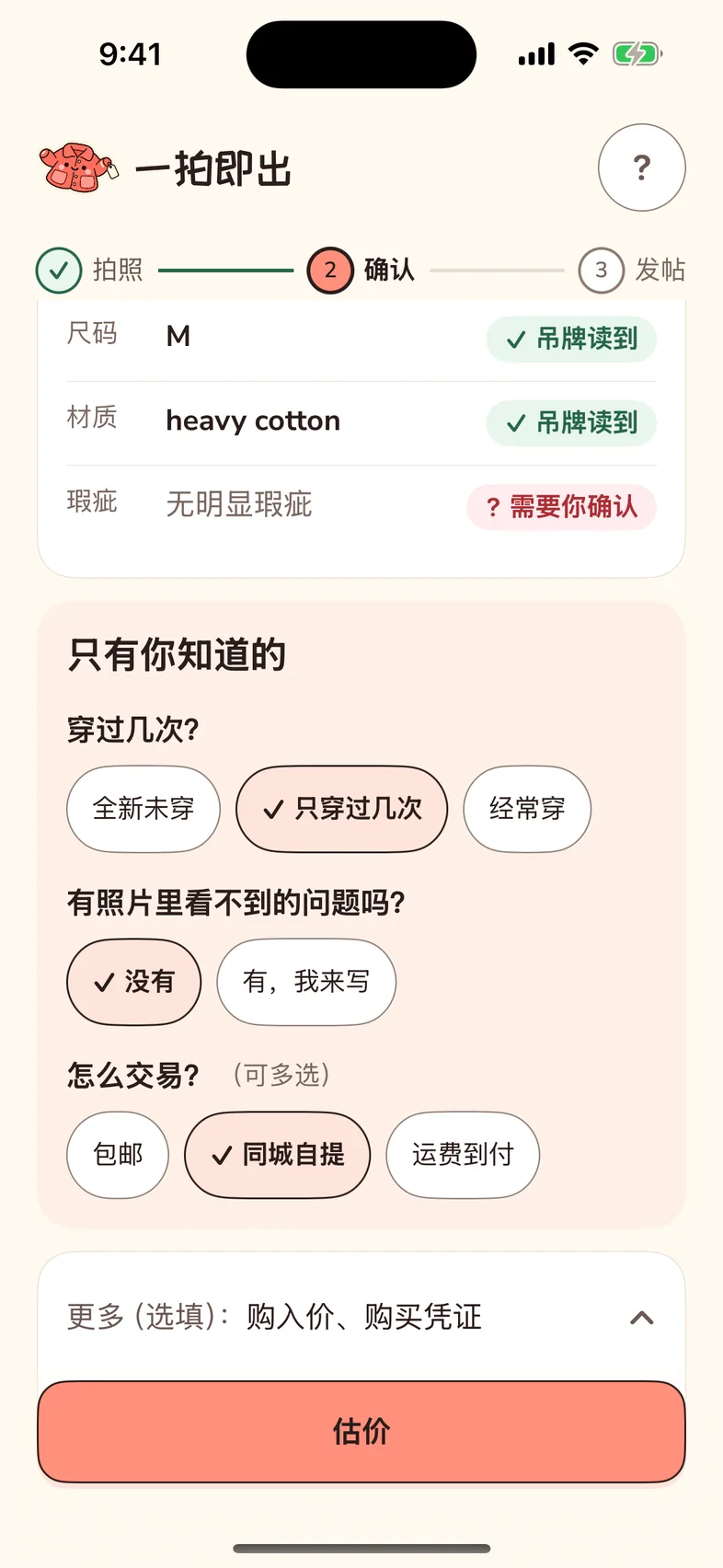
What needs confirming sits on top. Every field names its source. Only three questions, all tappable.
- 04Post
The tag drops in with the price. Below: how buyers will see it, two listings, the sale-card fields, one-tap copy.

Every field names its source; only ask what a photo can’t show
The confirm page separates what the AI read from what the person has to decide. Each field carries a source label: “read from label”, “inferred from photo” or “needs your confirmation”. You see at a glance where to look twice and what you can simply trust.
“Only you know” is three questions: how often it was worn, whether there is a problem the photos don’t show, and how you want to trade. All are tappable, nothing to type. Purchase price and proof of purchase fold away under “More”. Anything left unanswered is simply left out of the listing.
A range, not a number, and you hold the slider
The result page puts the suggested price on the hang tag, with a slider underneath from “sell fast” to “hold out for more”. That is exactly the dilemma I have when I move, and now it belongs to the user: dragging the slider changes the price, the bargaining line in the listing and the sale card together.
“Why this price” expands into three to five reasons. Under the tag it says plainly that the estimate is the model’s judgment, not a live market price, and offers a search phrase for checking the same item on a marketplace. The listing states only facts the user confirmed, one version for Xiaohongshu and one for Xianyu.
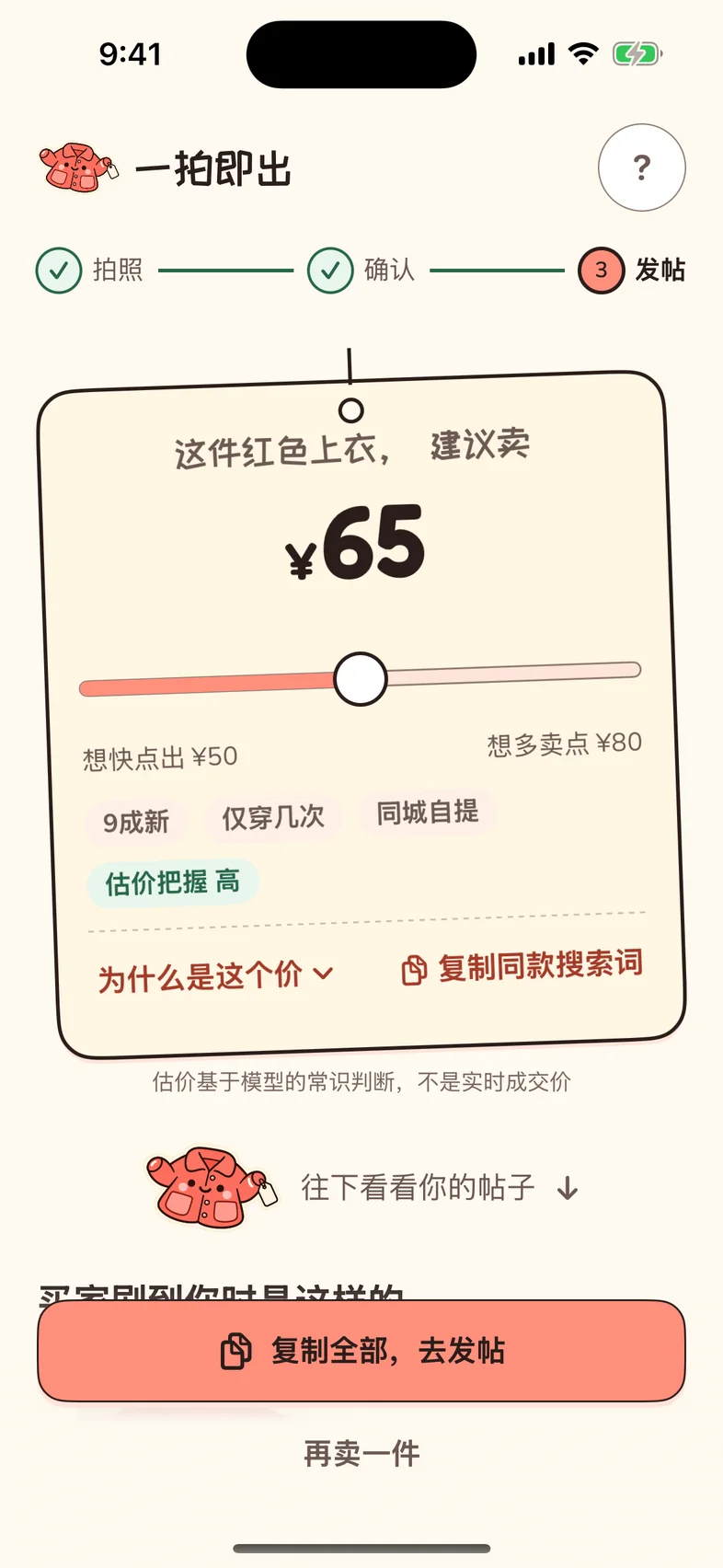
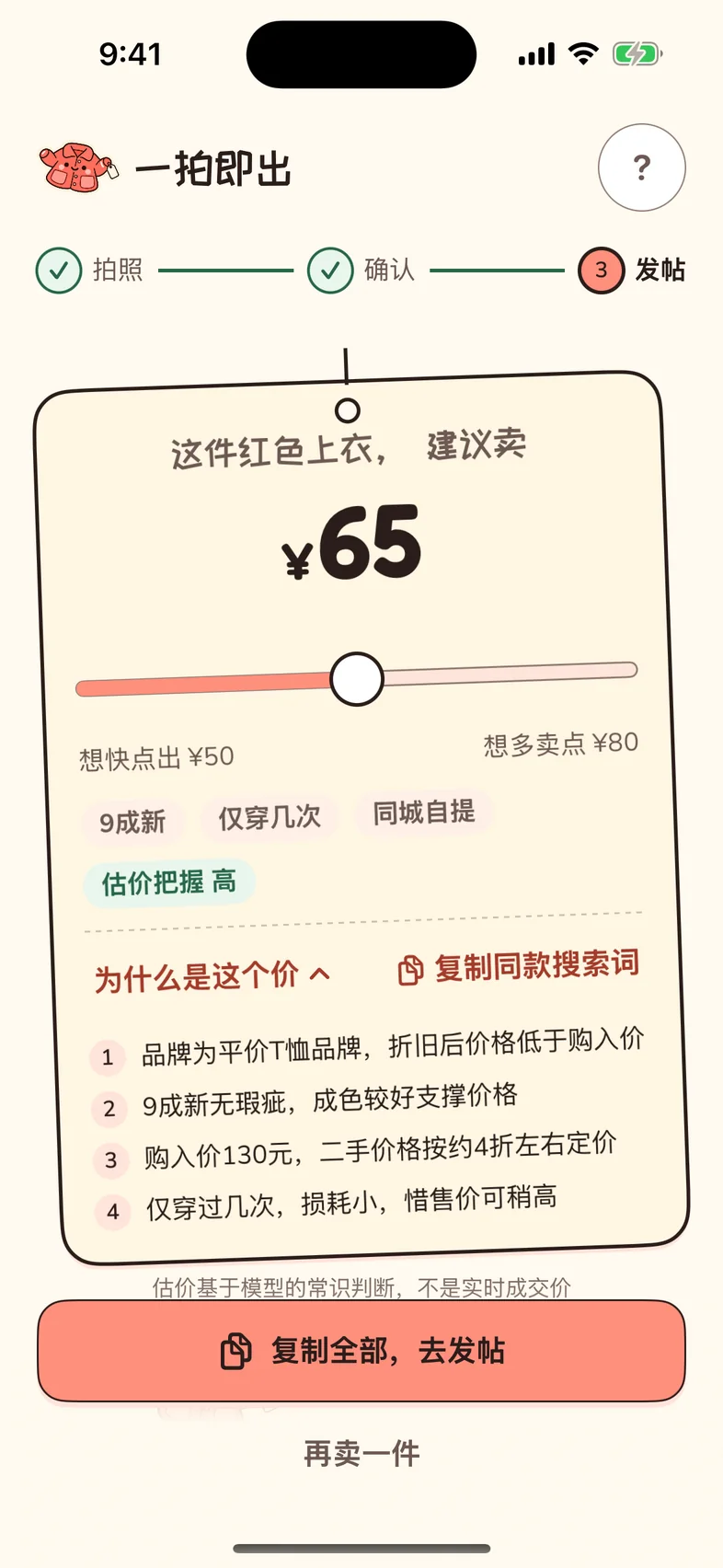
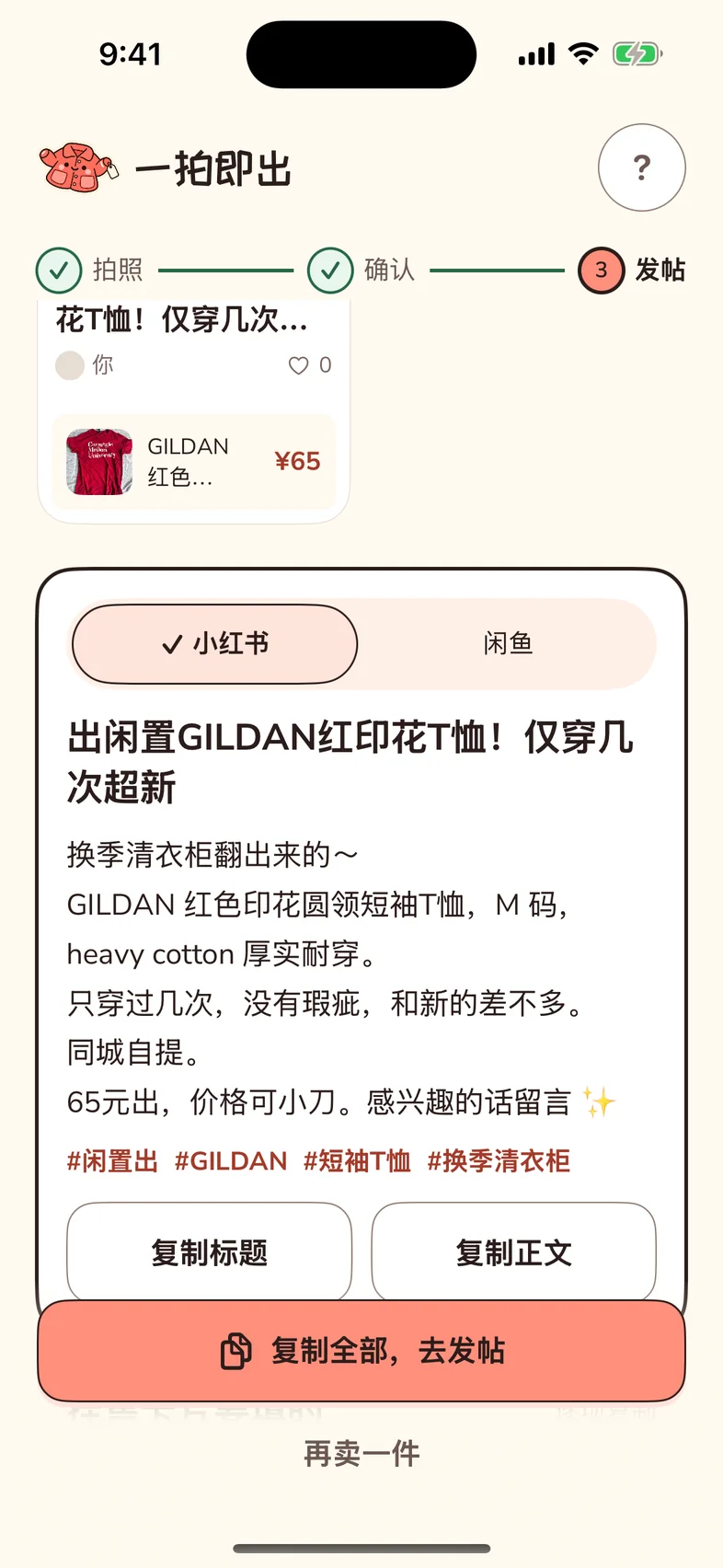
All screens are the real app, walked through with one of my own T-shirts. The reading is the real model’s answer about this shirt from October 21, replayed into the app for the screenshots rather than called again.
What the AI does, and doesn’t
03 / 04Two model calls per garment
The first call reads: one to three photos in, and out comes the category, brand, size, material and colour, each with a source and a confidence, plus visible flaws, a suggested condition grade and photo problems (blurry, not clothing, several items, no label). The second call prices and writes: the confirmed fields and the three answers in, and out come three price points with reasons, a search phrase, two listings and the sale-card name.
Everything else is local rules: the question templates, the condition scale, the slider, and validation with fallbacks (sorting the prices, filling missing fields, deleting “authentic” and “guaranteed genuine”). The slider, copying and switching platforms never call the model, so they are instant and free.
- Limit 01No authentication
For commonly counterfeited brands the listing says “cannot verify authenticity, please consider before buying”, and it never says “authentic”.
- Limit 02No invented facts
Purchase date, price and wear come from the user; unanswered means unwritten. A walkthrough caught a sample listing saying “worn only a few times” when the user had never been asked, so the copy is now built from the answers.
- Limit 03No pretending to know the market
Only a range, with a stated confidence. Two runs on the same T-shirt gave ¥45 / 59 / 75 and ¥50 / 65 / 80. That variance is the reason for a range rather than a single number.
- Limit 04No retouching the photos
Retouching can erase the flaws too, and that misleads the buyer.
When it fails, each case gets a plain sentence
Blurry photo, not clothing, timeout, no network, quota used up: each has one sentence in plain words plus “retry” and “continue with a sample”. When the photo is of something else, Snapee says what it saw instead of forcing a reading.
The app has no server yet: the phone calls the Doubao vision model directly, with a dedicated, spend-capped key created for this one project; the AI calls sit in one module, so a production version swaps in a server-side proxy by changing that module alone. Three sample garments use preset data, so someone without clothes at hand can still walk the whole flow.
How it was built
04 / 04I wrote the specs and prompts, a tool wrote the code, real clothes signed off
I wrote the product definition, checked the facts, designed in Figma (five home-screen directions → v2 → v2.1 after my own comments) and turned each round of changes into a spec for an AI coding tool to generate the code. Every round I walked the build through in the simulator. Before connecting the real model, I intercepted the model requests and simulated ten kinds of response to check every error state.
Some real turns along the way: a walkthrough found the camera button wasn’t wired to a file picker, so nobody could upload a photo; the real-clothes test found over-long reason chips and English field names leaking into the reasons. Each went into the next round.
A personality of its own
The camera and the photo library are the front door, and a half-finished garment is saved as a draft to pick up next time. The design system was built for this app alone: a warm ivory canvas, coral for the main action, a cream hang tag, a playful Chinese display face for headlines, and a mascot, a coral jacket with a blank tag hanging from its cuff. The hang tag is the motif that runs through the flow, appearing while the AI reads and ending with the price on it, and it is the cream tag from the mascot’s sleeve.
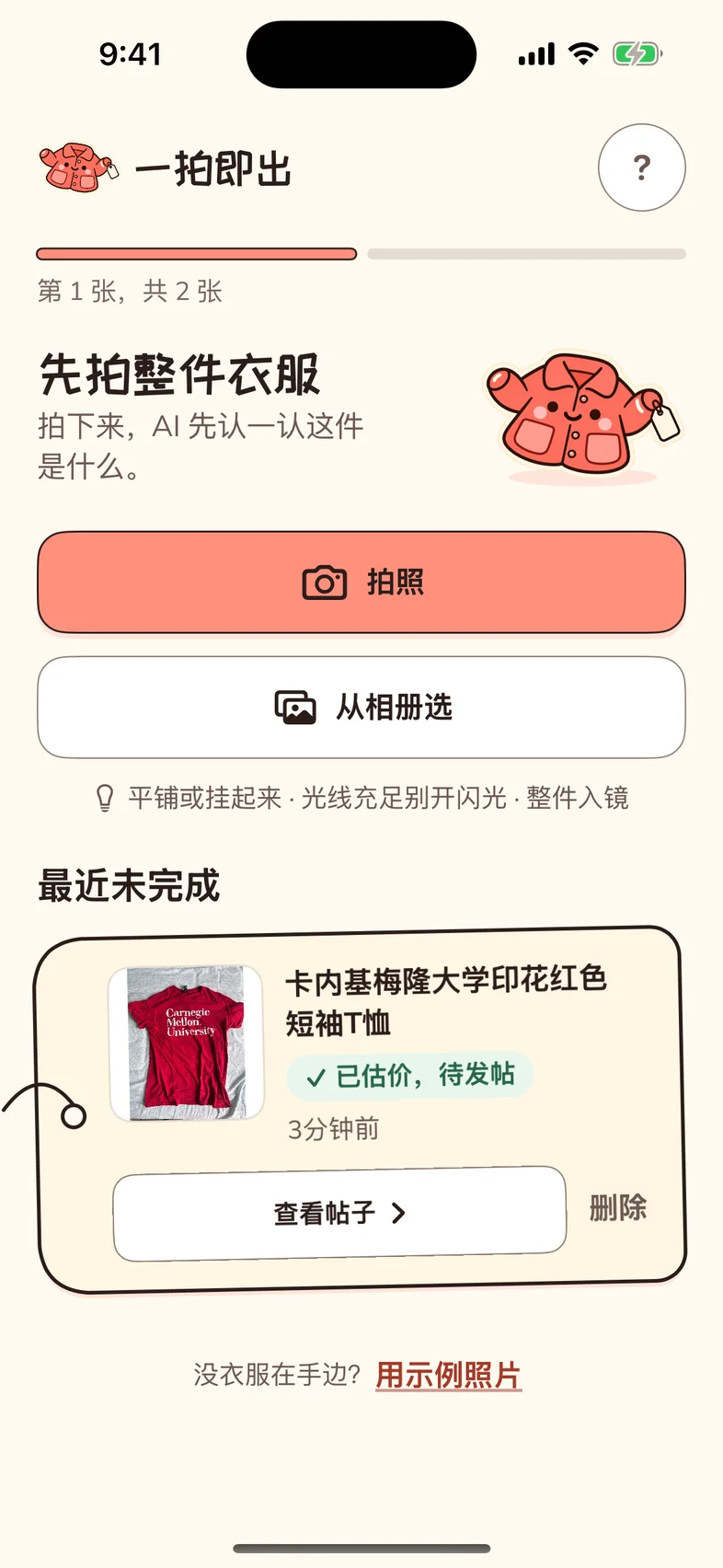
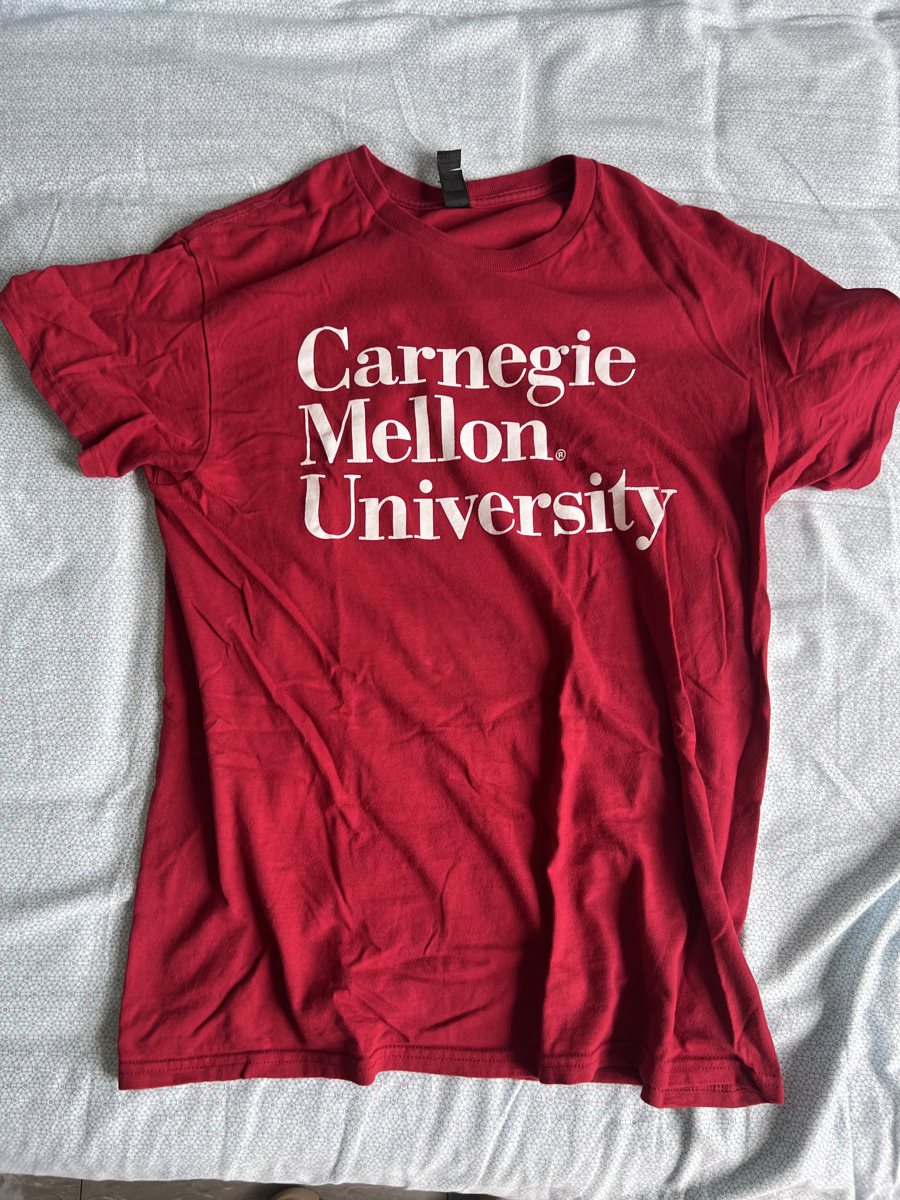
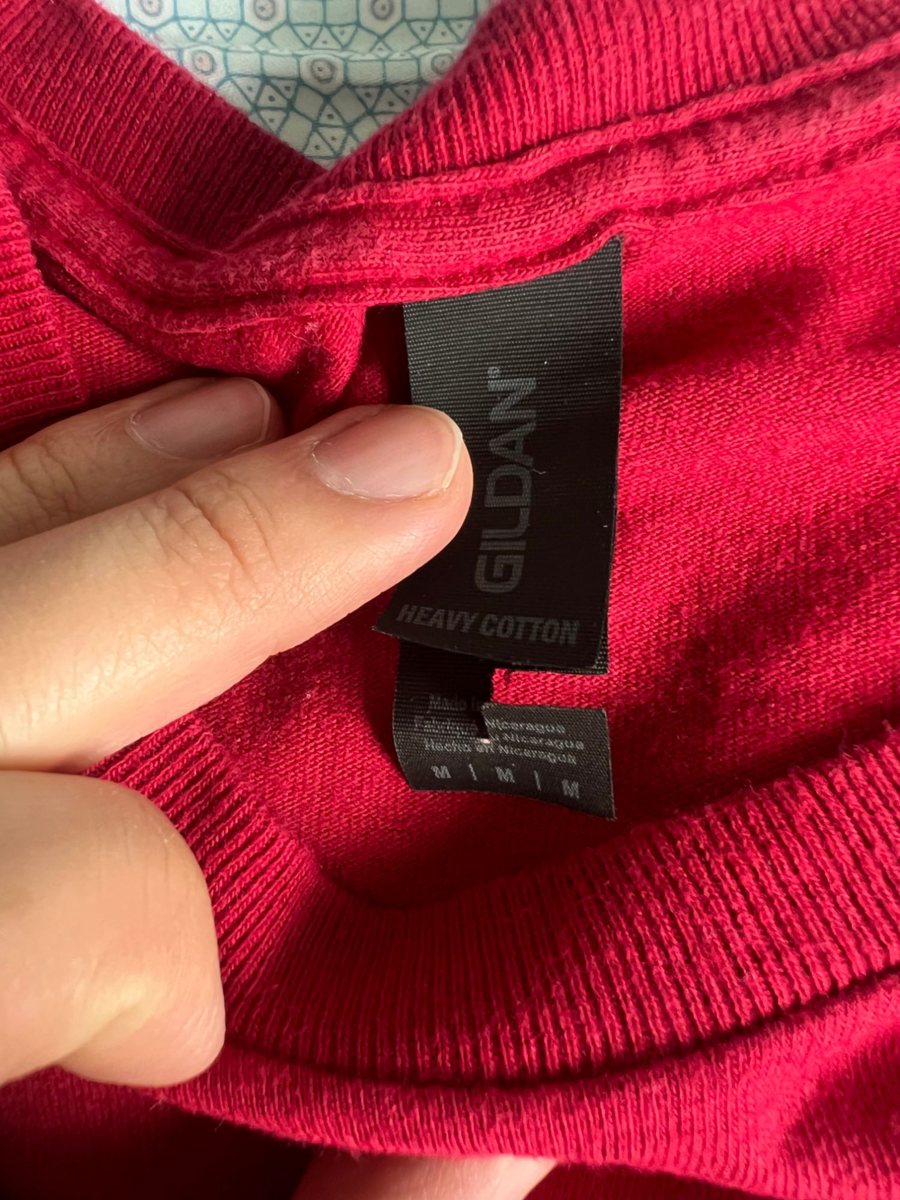
Tested on a CMU T-shirt
Photographing the whole shirt and the care label at the collar, the model read the brand GILDAN, size M and material Heavy Cotton from the label, marked all three as “read from label”, and priced it in three tiers with reasons using the ¥130 purchase price. Reading took about four seconds, pricing and writing about four more.
What’s next
Deliberately left out: publishing straight to a platform, live price comparison, chat haggling, authentication. Three things I want to do next: run the whole flow on a real iPhone with the camera and the live model; fill the platform’s sale card directly from the reading; and widen the categories by changing the second photo from “the label” to “the one with words on it” (a nameplate, a model sticker, the box, a book’s back cover), with the same principle.
Next case study